Workplace training that happens on WhatsApp
Companies send courses straight to their people's phones. An AI tutor helps every learner along the way, and tutors step in where it matters.
- 1message to join a classReply JOIN and the class code
- 0apps to installWhatsApp is the classroom
- 24/7answers from the courseNomsa, the AI tutor, never sleeps
- 4roles, each sees its ownAdmins, companies, tutors, learners
A learner's week, all on WhatsApp
- 01 / 06
Join a class with one message
Learners get an invitation on WhatsApp. They reply JOIN and the class code, or tap the link and join on the web.
08:155GSCOverdrive SmartClassonlineHi Sipho — you're invited to Forklift Safety. 1. Open My courses: tutor.appnotify.co.za/learn 2. Tap Join class. Or reply here with: JOIN FORK24JOIN FORK24You've joined Forklift Safety. Open your course: tutor.appnotify.co.za/learn/forklift-safety Ask questions here privately, or send STATUS to see what's next. - 02 / 06
Tap the link: the course opens on the phone
Weeks follow the calendar, so learners see this week's work and what's next. Opening a video marks their attendance.
08:155G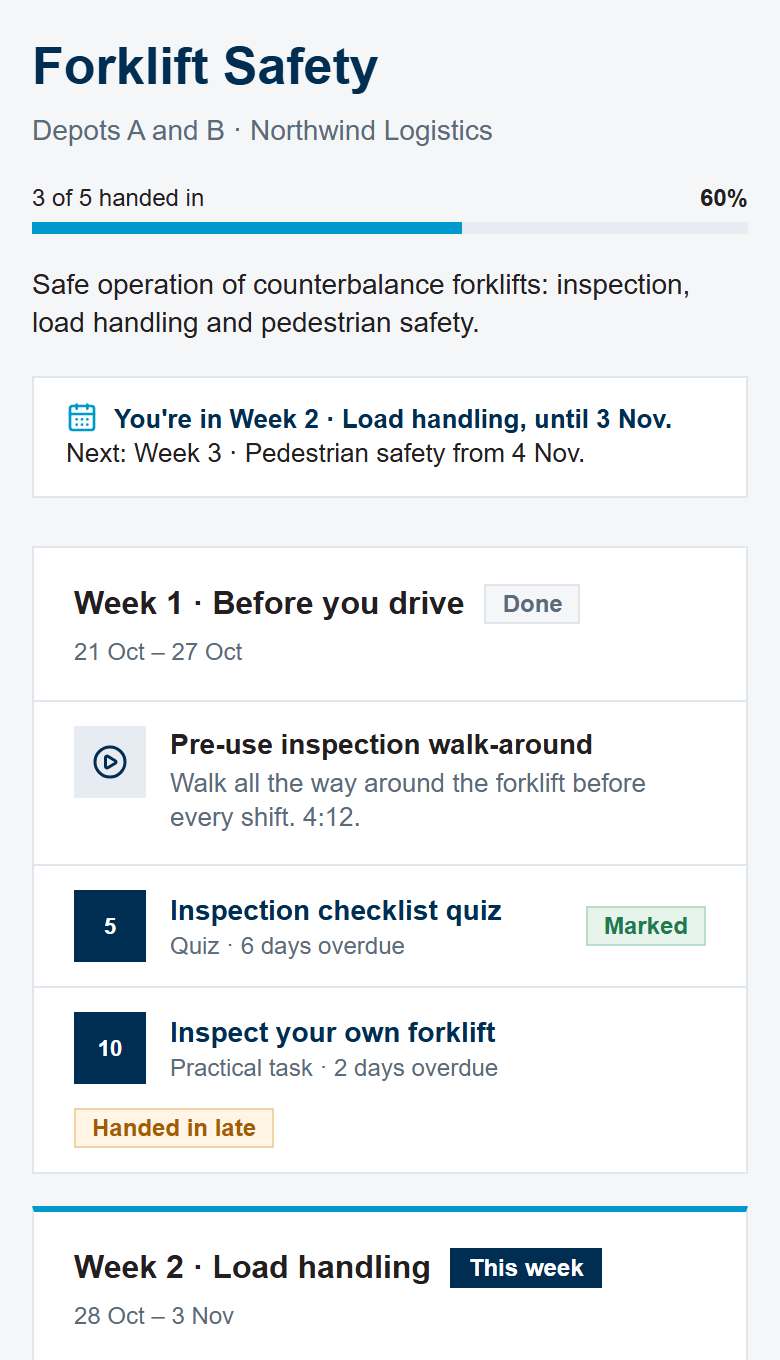
- 03 / 06
A class group for the week's work
SmartClass posts the week board in the class group. Ask with a ? and Nomsa, the AI tutor, answers for everyone.
08:155GFSForklift Safety · Depot BThandi, Lerato, Sipho, youSmartClass📚 Forklift Safety Class weeks: • Week 1 · Before you drive ✓ • Week 2 · Load handling ← this week • Week 3 · Pedestrian safety ← next Ask with a ? and Nomsa (AI) answers so the class can learn together.LeratoWhat is the stability triangle again?Nomsa · AI tutorIt's the area between the two front wheels and the middle of the back axle. Keep the load's centre of gravity inside it and the forklift won't tip (video at 2:20). - 04 / 06
Private help from the course, any time
Nomsa answers from the course material, day or night, and gives the video timestamp to watch again.
08:155GSCOverdrive SmartClassonlineI saw a small oil drip under my forklift. Can I still drive it?Nomsa · AI tutorNo. Any fluid leak, however small, means the forklift is tagged out of service. Tag it and report it to your supervisor (video at 3:10). - 05 / 06
A real tutor steps in
When the course doesn't clearly answer it, or it's about safety, deadlines or certificates, Nomsa hands the chat to a tutor with a suggested reply.
08:155GSCOverdrive SmartClassonlineMy supervisor says we can skip the checklist on night shift. Is that ok?Nomsa · AI tutorGood question. I've asked your tutor to answer you here soon.Thandi · TutorPlease don't skip it: the checklist is needed before every shift. I'll speak to your supervisor today. - 06 / 06
Hand in work from WhatsApp
A photo, file or voice note goes to the next open assignment. SUBMIT works for typed answers, and STATUS shows what's next.
08:155GSCOverdrive SmartClassonlinePre-use check, forklift 3PRE-USE CHECKLIST · FL3TyresNo leaksForks levelChainsHorn and lightsBrakesHanded in: "Inspect your own forklift" for Forklift Safety. Your tutor will mark it. Next up: "Read the capacity plate" (due in 3 days).STATUSClass: Forklift Safety (code FORK24). This week: Week 2 · Load handling. Assignments: 2 of 4 handed in. Next assignment: "Read the capacity plate". Videos watched: 2 of 3.
Training that fits into a shift, without another app
For learners
- Nothing new to install: lessons arrive on the phone they already use.
- Help at any hour from Nomsa, and a real tutor when it matters.
- Hand in with a photo, and see marks and what's next straight away.
For tutors
- Plan by week, with dates that follow the calendar.
- Every hand-in in one list, from the web and from WhatsApp.
- Take over any chat, with a suggested reply ready.
For companies
- Reports on completion, overdue work and marks for every class.
- Your own people, logins and classes, kept apart from everyone else's.
- Courses stay stable once people are working through them.
Tutors and companies run every class from one place
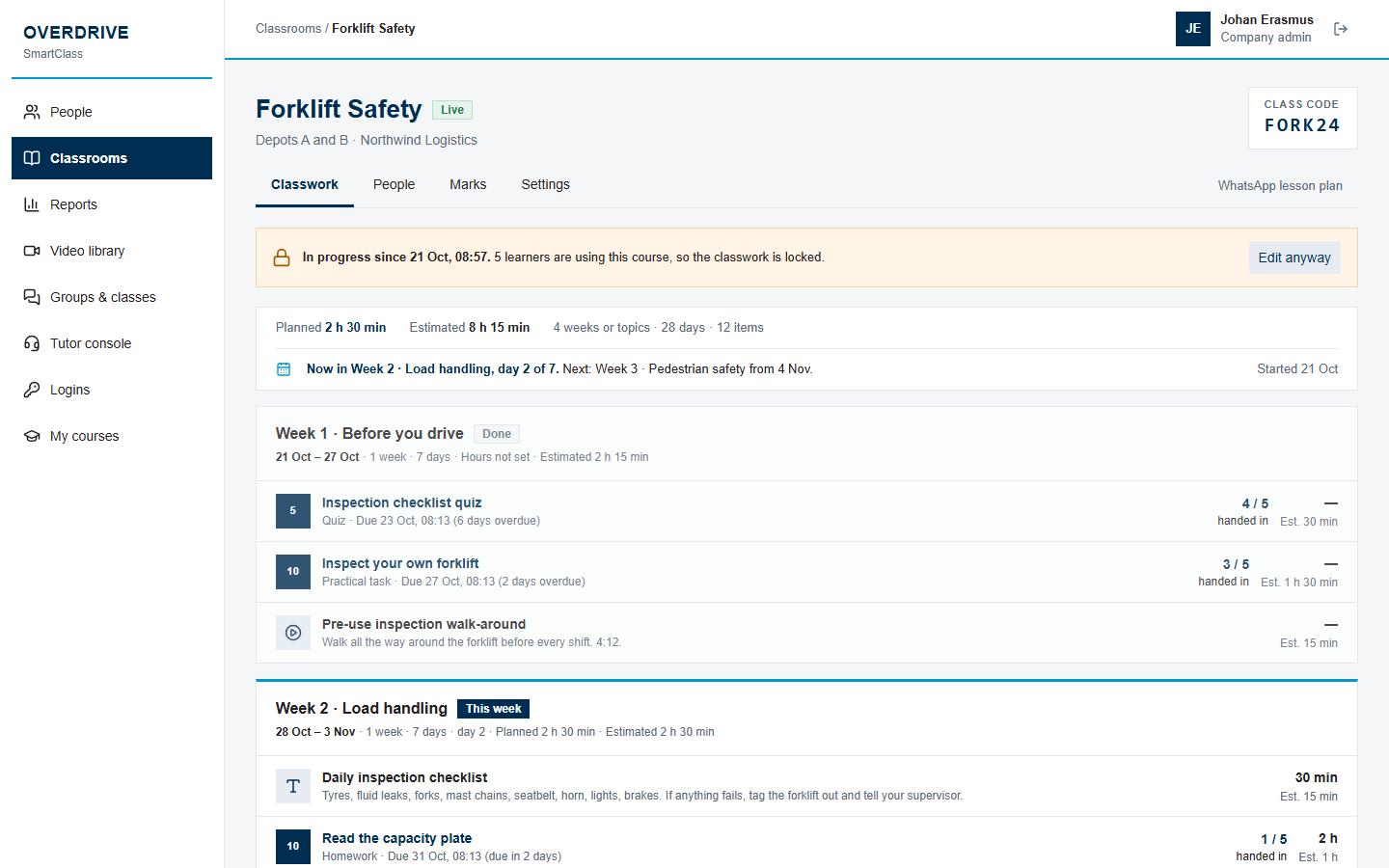 Plan the class week by weekDrag lessons and assignments between weeks and set the hours each takes. Weeks have dates, and work without a due date is due at the end of its week.
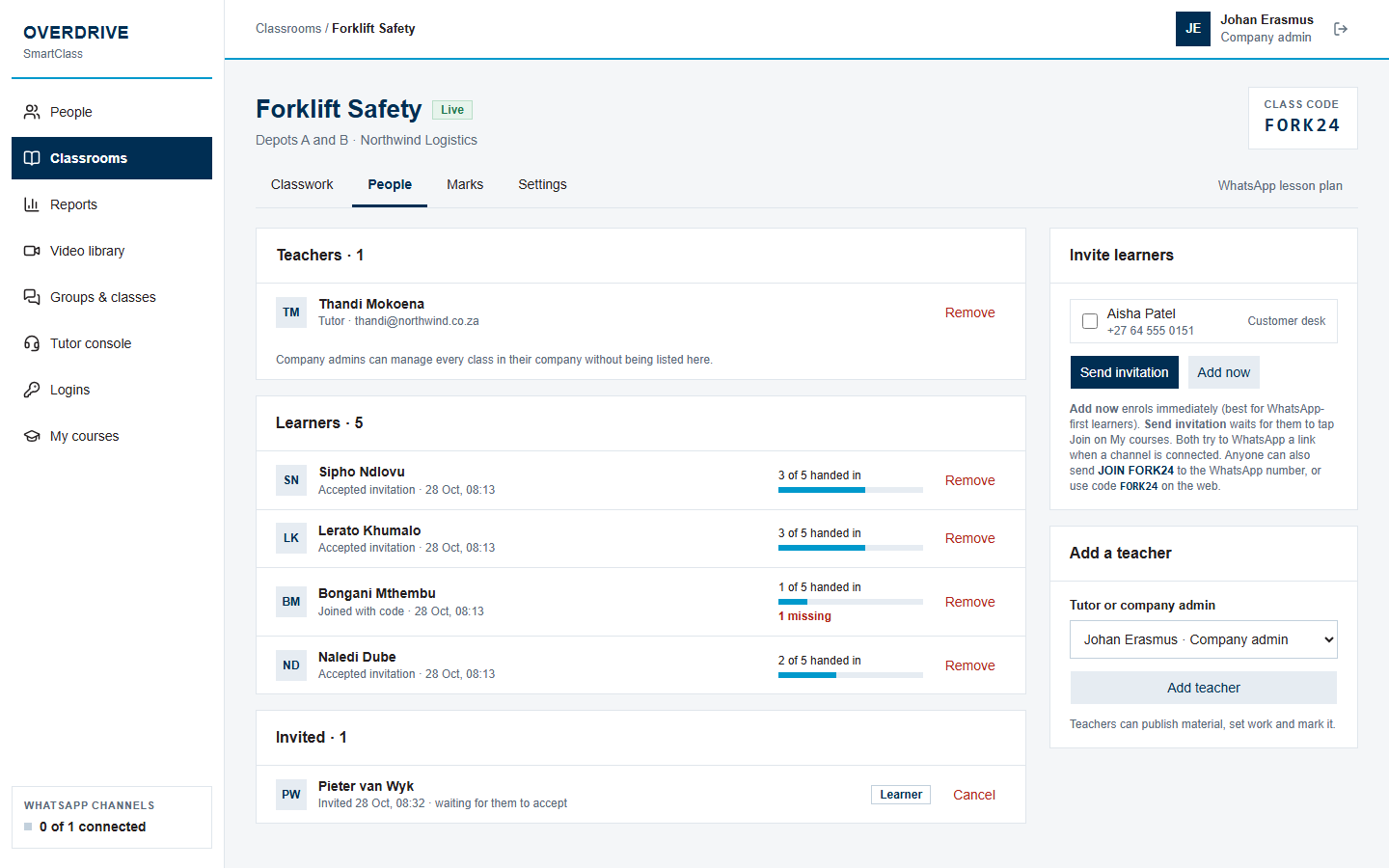 Invite learners and co-teachersAdd learners straight away or send invitations, share the class code, and teach together with other tutors.
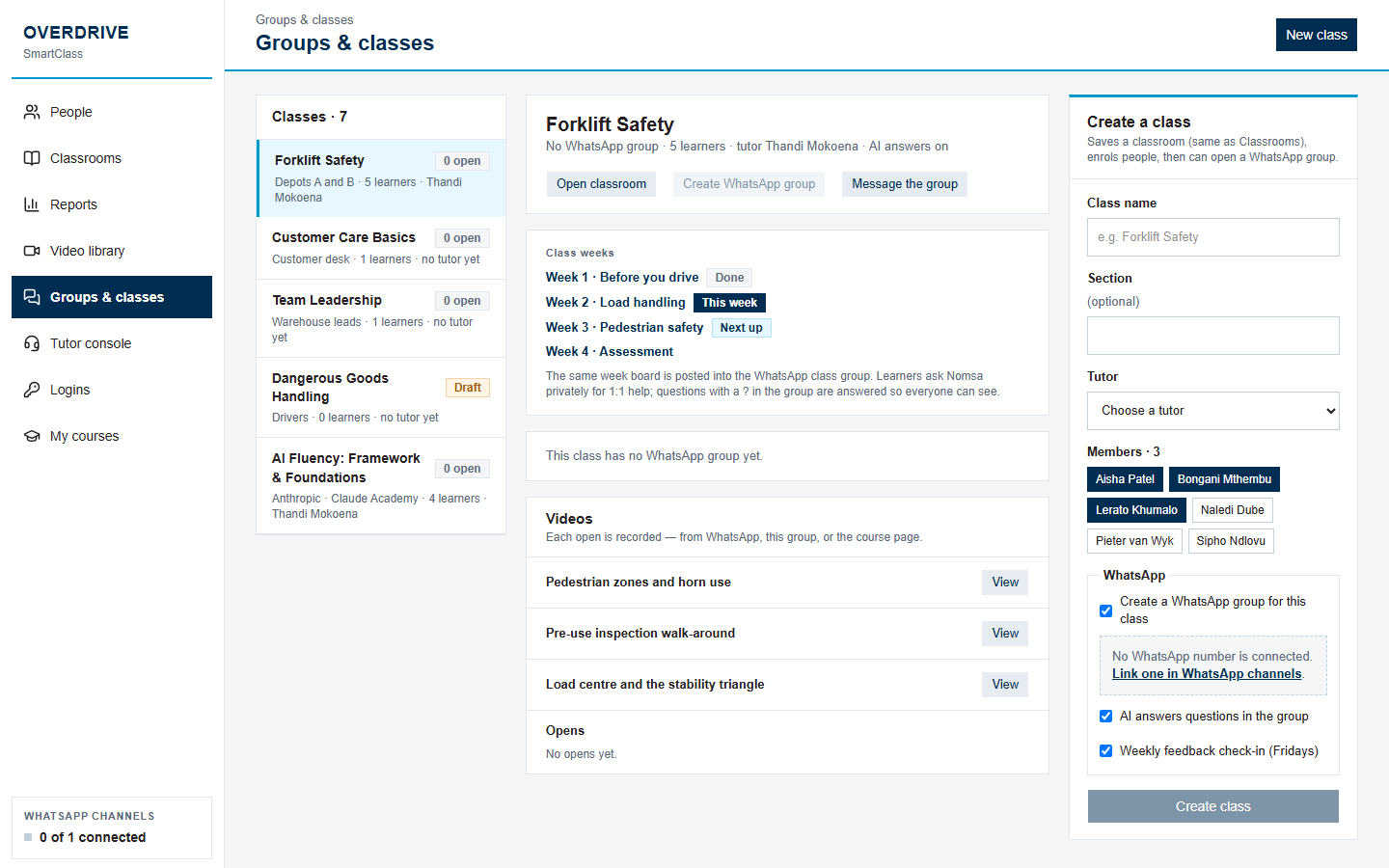 One WhatsApp group per classCreate the class group from SmartClass. It posts the week board and sends each learner a private welcome with their course link.
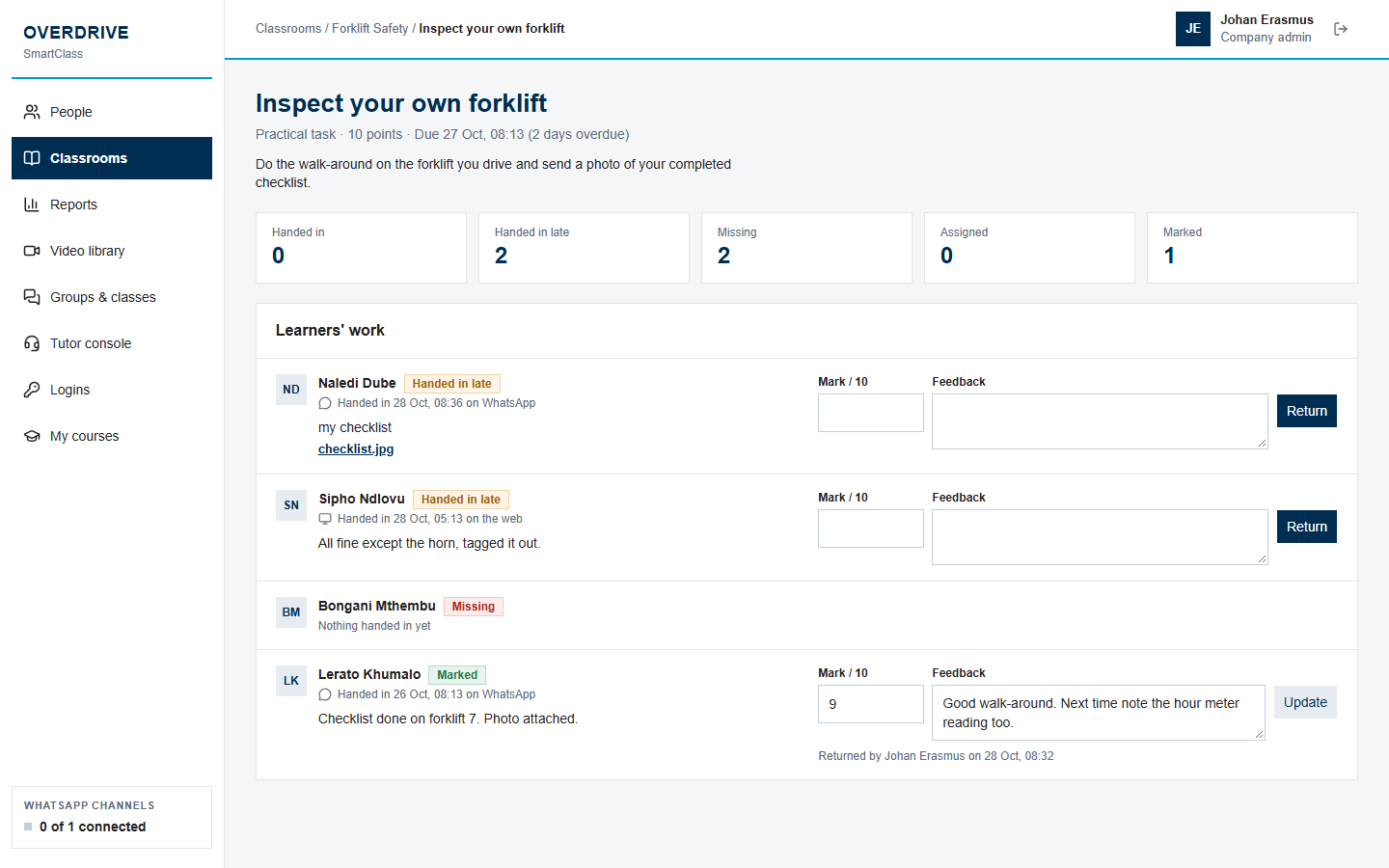 Mark work and give feedbackWork handed in on the web and on WhatsApp arrives in one list. Return a mark and feedback, and the learner sees it straight away.
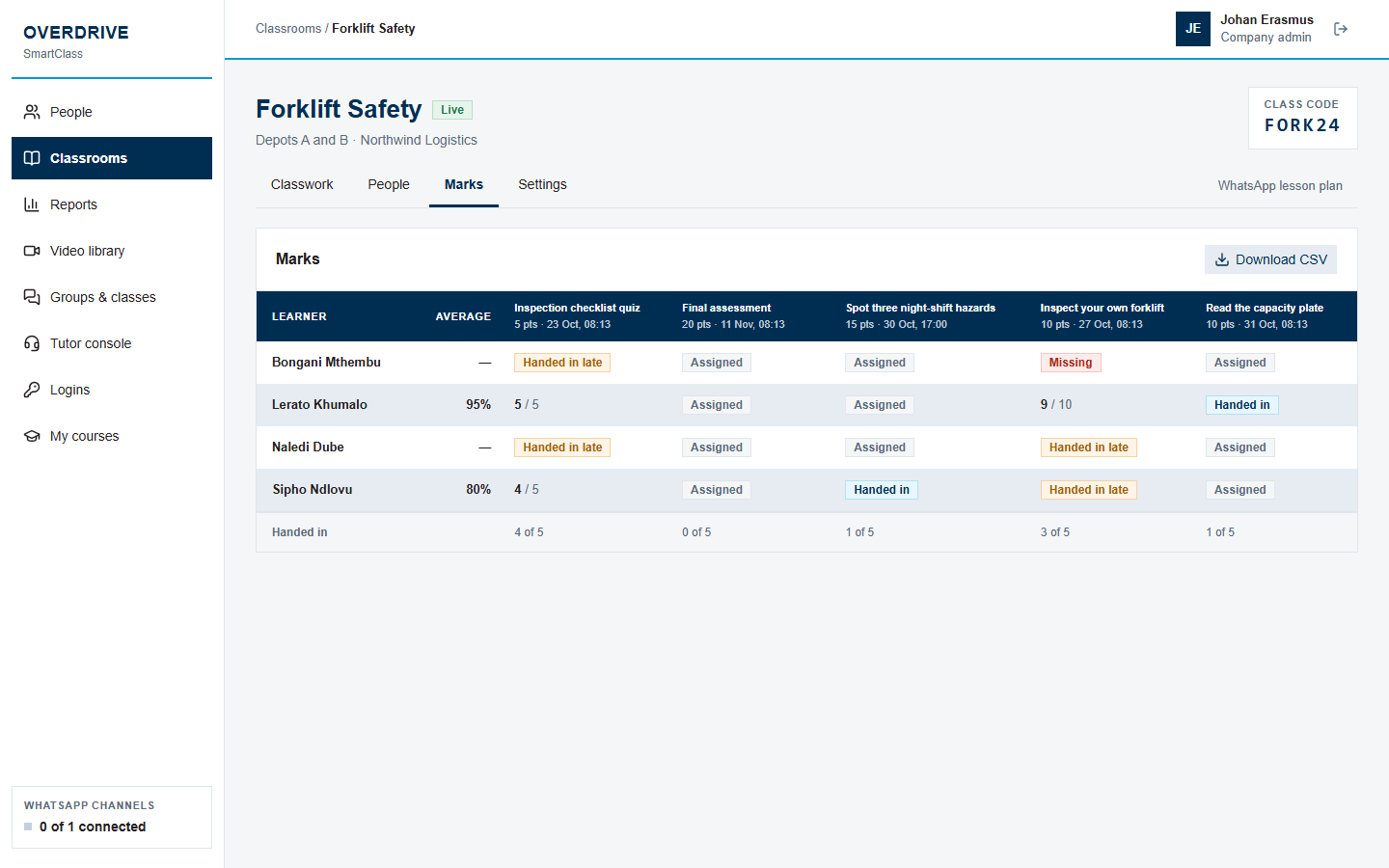 See every learner's progressThe marks grid shows what's handed in, late or missing, with each learner's average. Download it as a spreadsheet.
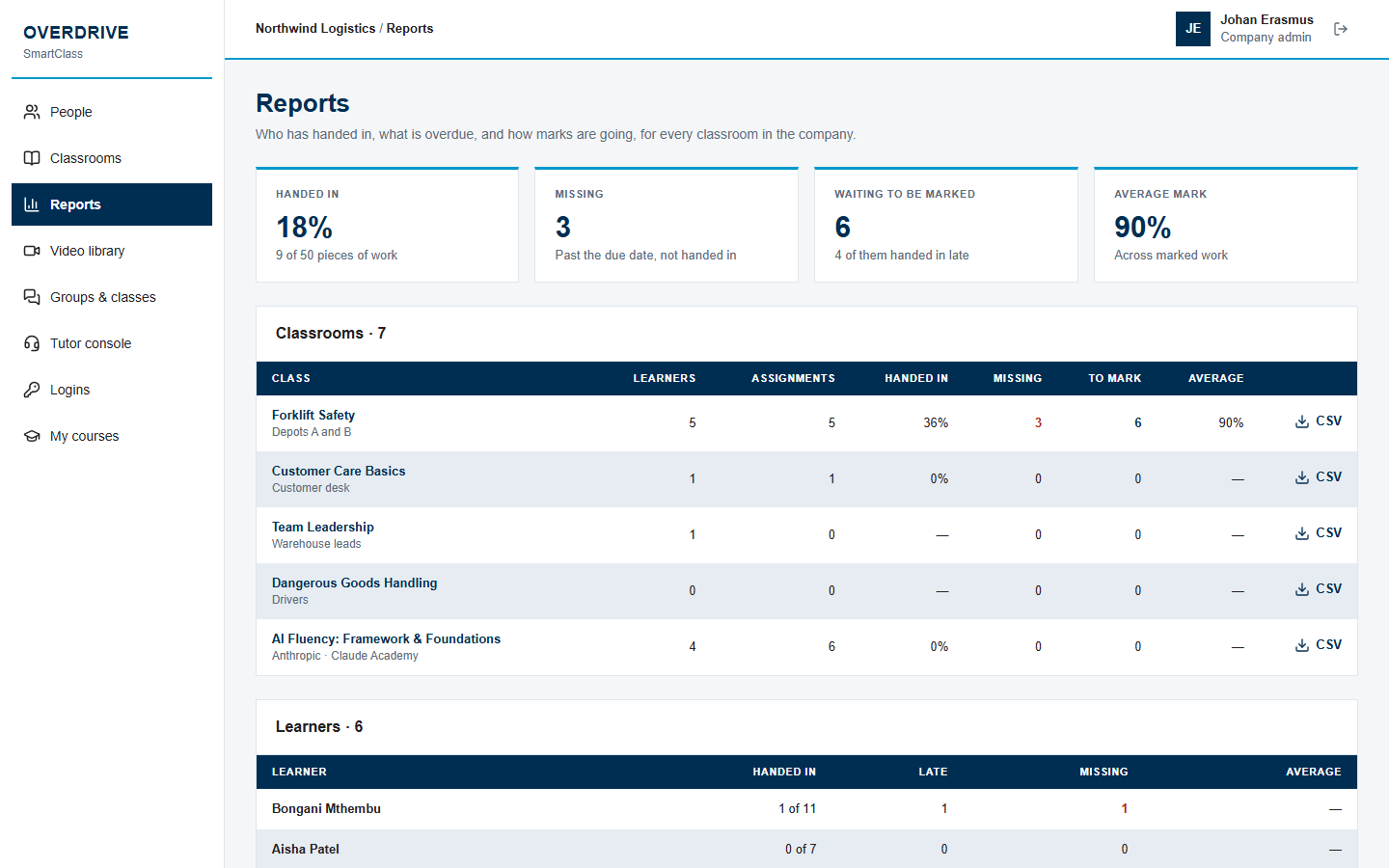 Reports per course, per companyCompanies track completion, overdue work and marks across all their classes.
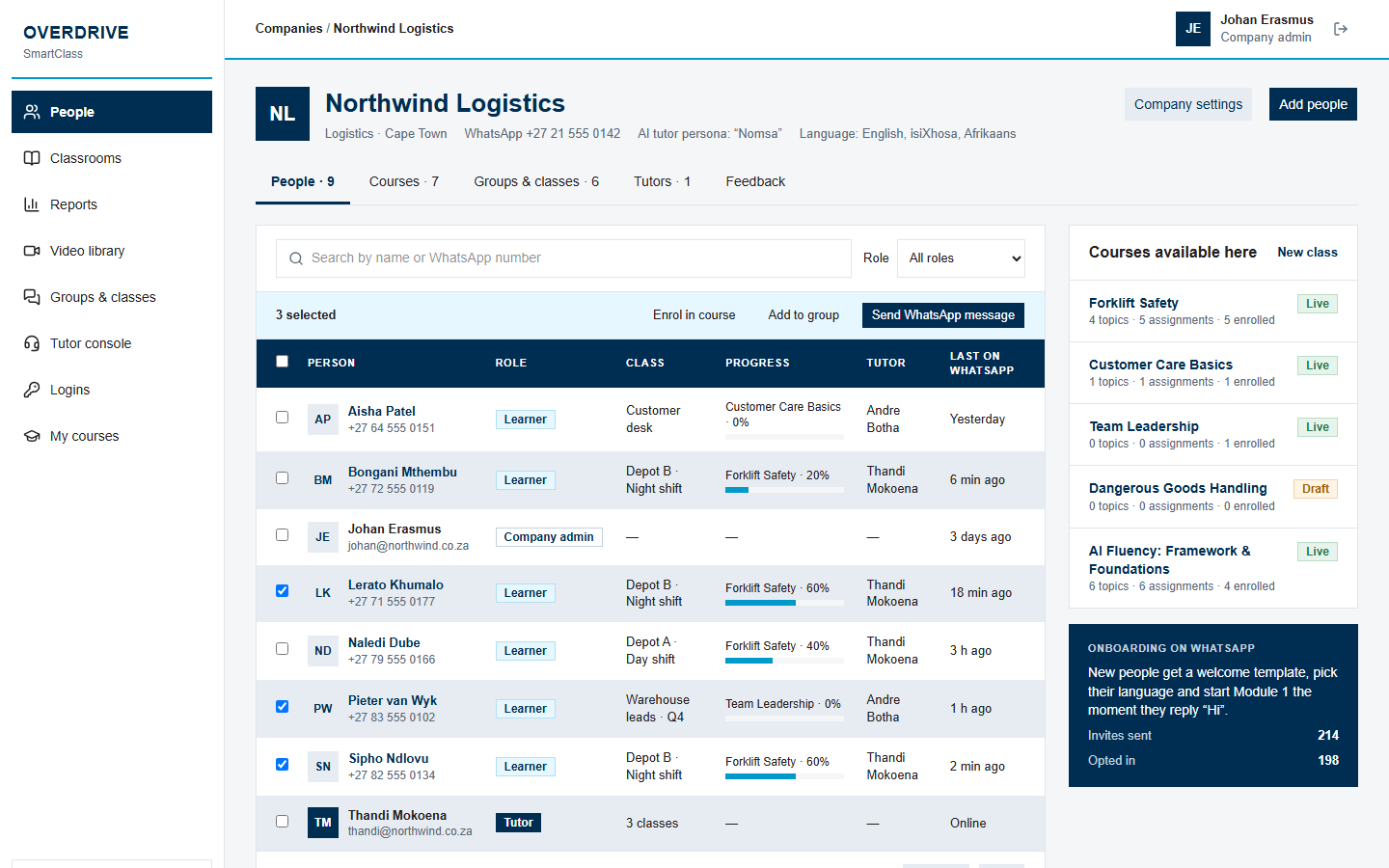 Each company runs its own trainingCompanies manage their own people, logins and classes. Tutors see the classes they teach, and learners see only their own courses.
Ready when your people are
Admins and tutors sign in with their email. Learners use the phone number they get WhatsApp lessons on.
Silicon Overdrive | IT Services and Software Development
Sign in
Admins and tutors use their email. Learners can use the phone number they get WhatsApp lessons on.